What do customers get with each order?
Inventory metrics, checkout brief fields, admin review, publisher assignment, delivery URL tracking, order status history, and manual support when fulfillment needs review.
Backlink marketplace for operators
Shop For Links helps SEO teams compare backlink placements, brief publishers, monitor manual fulfillment, and keep every customer, admin, and publisher step organized.
Backlink buying questions
The marketplace is built for structured purchasing and manual fulfillment. These boundaries are visible upfront so customers understand what they are buying and what remains outside platform control.
Inventory metrics, checkout brief fields, admin review, publisher assignment, delivery URL tracking, order status history, and manual support when fulfillment needs review.
Search rankings, organic traffic, Google indexing, publisher editorial acceptance, and third-party search engine behavior are not guaranteed.
Approved publishers and admins handle fulfillment manually. The app organizes orders, tasks, delivery review, and payout status instead of automating backlink creation.
Manual fulfillment proof
The homepage now explains the operating model in one place: customers brief each placement, admins review and assign work, and publishers submit delivery before payout is approved.
The buyer can inspect metrics, fill a placement brief, choose payment method, and track delivery status later.
The admin workspace separates payment checks, publisher review, assignment, delivery approval, and settlement exposure.
Publishers can submit websites, receive tasks, upload published URLs, and see payable or paid settlement status.
Public proof strip
This section gives buyers one fast explanation of who does what after checkout, then the screenshot section below shows the actual product views.
Shop For Links tracks manual fulfillment. Rankings, traffic, indexing, and publisher editorial decisions are not guaranteed.
Project selected, payment ready, instructions captured.
Assign publisher task and approve delivery.
Revision, approval, and settlement status tracked.
Live operating loop
The homepage now shows the platform as a working system: customer brief, admin assignment, publisher delivery, and manual payout tracking.
Target URL, anchor text, project, and instructions are captured before payment.
Paid order items become publisher tasks with payout, due date, and review notes.
Publishers submit live URLs, notes, and revision updates into the task queue.
Approved work becomes a manual payout record before offline payment is marked paid.
Required fields reduce admin delays and publisher revisions.
Orders stay out of fulfillment until payment and brief checks pass.
Published URL proof is reviewed before the customer order is completed.
Payout is recorded in the platform, while actual payment stays manual.
Choose the right workflow
Different SEO buyers need different levels of control. Shop For Links routes each order into the same manual fulfillment system, but the starting point should match your buying intent.
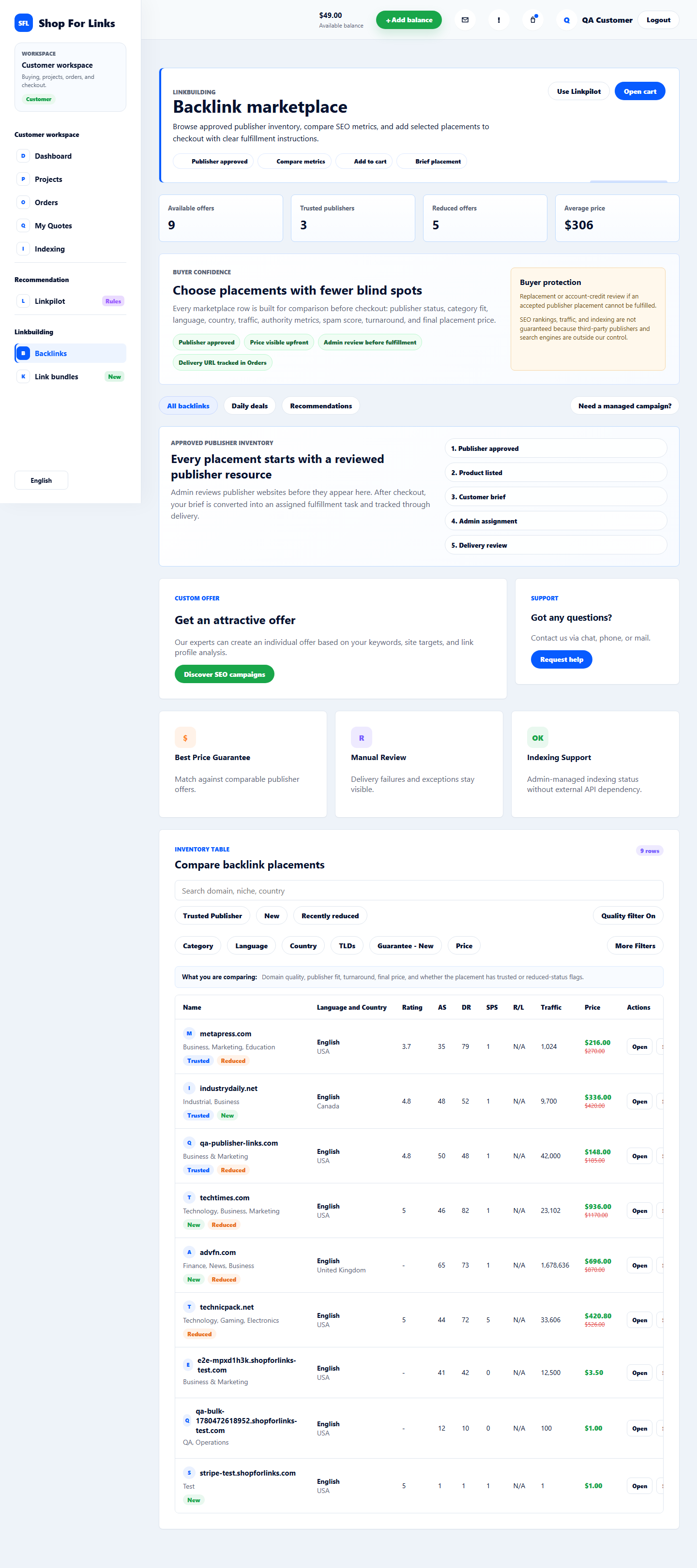
Compare exact publisher domains, metrics, category, language, country, price, and turnaround before checkout.
Choose a package tier, submit targets and anchors, then let admin allocate approved publishers manually.
Submit goals first, get a manual campaign quote, and approve the scope before paid fulfillment starts.
Public workflow map
Customers, admins, and publishers use different screens, but the marketplace runs on one shared manual fulfillment path. This map connects the main service pages, account routes, and support boundaries before signup.
Compare offers, choose a package or individual backlink, submit target URL and anchor text, then track payment, admin review, delivery, and indexing support.
Admins keep payment checks, publisher approval, task assignment, delivery review, revisions, and settlement records separate from automated SEO promises.
Resource owners can submit websites, wait for admin approval, receive assigned publishing tasks, submit delivery URLs, and track manual settlement status.
Individual backlink, package, or managed campaign.
Target URL, anchor text, project, and instructions.
Payment, publisher fit, and fulfillment risk.
Published URL, notes, and revision review.
Approved work becomes a manual settlement record.
Platform screenshots
These are live-style screens from the customer marketplace, checkout brief, admin control center, and publisher portal so buyers understand the process before creating an account.
Compare publishers by niche, country, traffic, authority, price, and trust flags.
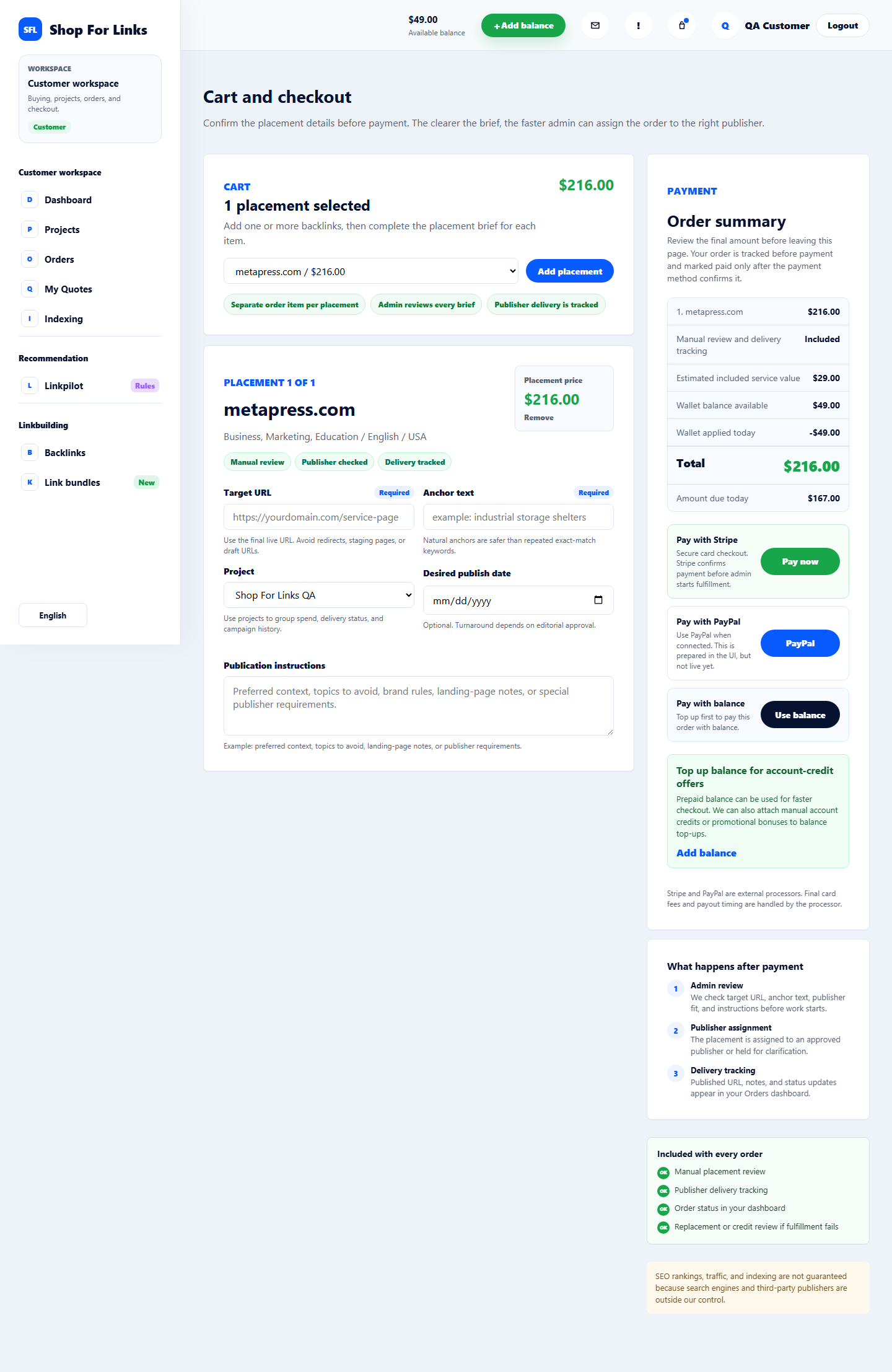
Target URL, anchor text, project, desired date, instructions, balance, Stripe, and PayPal options stay visible.
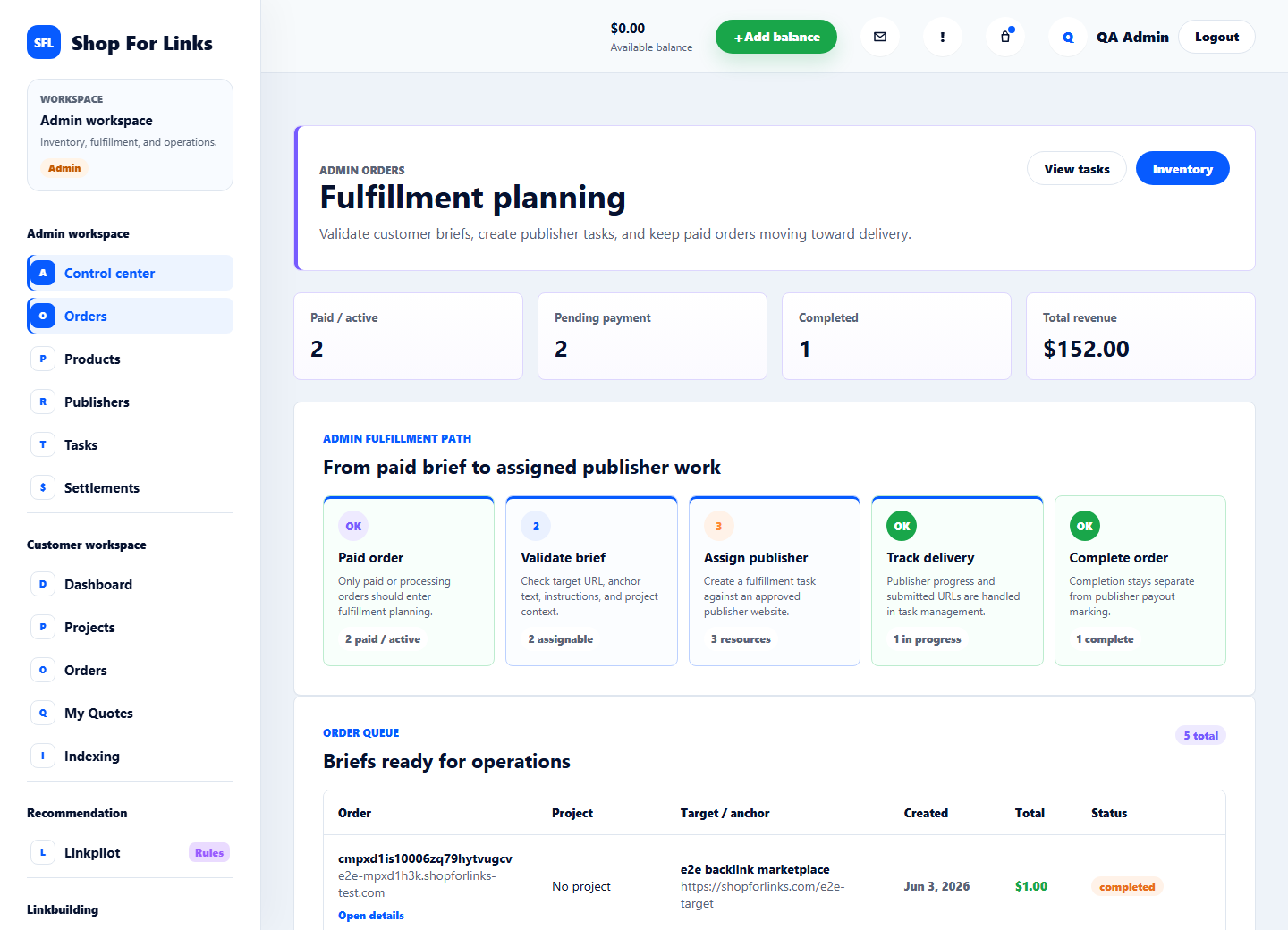
Admins review publishers, assign tasks, approve delivery, and track margins.
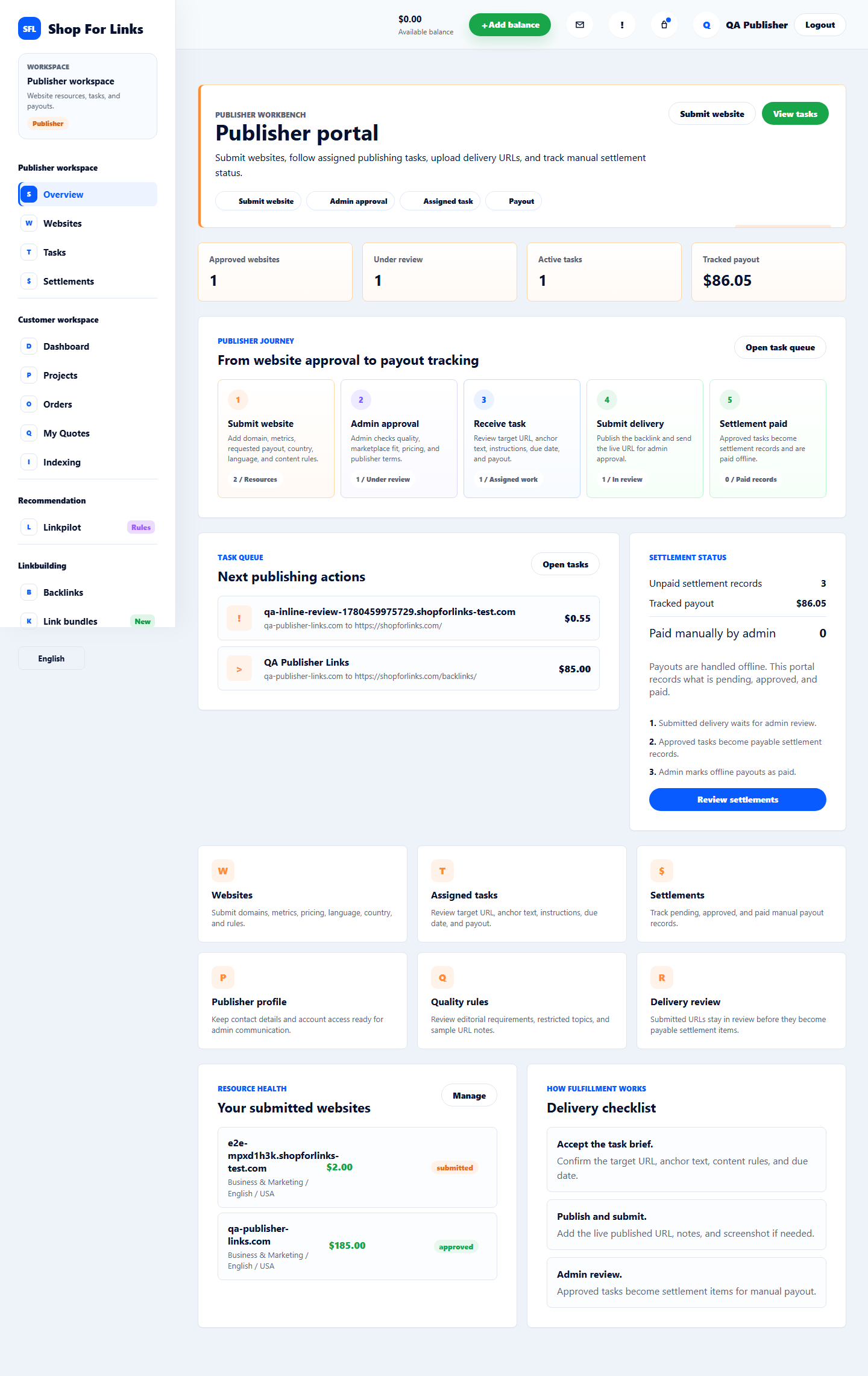
Submitted websites, assigned work, delivery URLs, and manual settlement status stay organized.
Why teams use it
Every listing stores category, country, language, DR, DA, traffic, price, turnaround time, and fulfillment rules.
Customers add target URLs, anchors, instructions, and project details before an order reaches admin review.
Publishers submit websites, receive assigned tasks, upload delivery URLs, and track settlement status.
Workflow
Browse individual backlinks or buy a package.
Add target URL, anchor text, desired date, and instructions.
Admins assign the order to an approved publisher.
Delivery URL, notes, payout, and indexing status are tracked.
Launch path
Use the app to create projects, buy links, request campaign quotes, or become a publisher.
Create an account to browse backlink placements, prepare checkout briefs, submit publisher sites, and manage fulfillment workflows.
Open Shop For LinksFAQ
No. Orders, task assignment, delivery review, and settlement tracking are managed in the platform. Publishing remains manual.
Yes. Publishers submit website metrics and requirements, then admins approve or reject inventory.
Yes. Customers can preload wallet balance for faster checkout, or pay the remaining amount by card through Stripe.